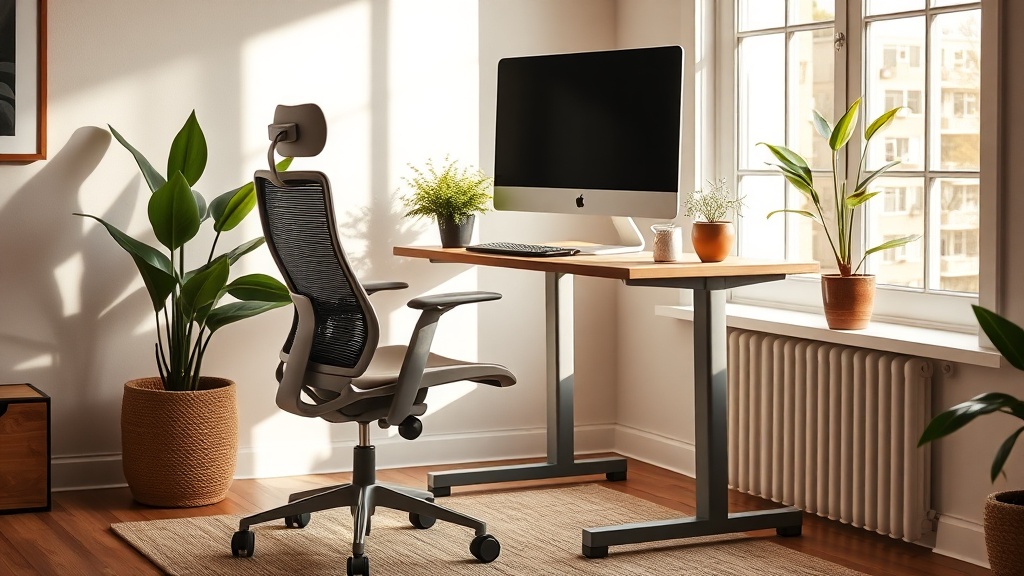
Spring Home Office Refresh: Ergonomic Upgrades for Remote Workers

Do you feel a lingering ache after a day of remote work? As daylight lengthens and spring invites us to reset, it's the perfect moment to re‑engineer your home office for comfort and focus.
Why does ergonomics matter now, in spring?
Long hours at a desk can strain the neck, shoulders, and lower back. Studies from the CDC's National Institute for Occupational Safety and Health (NIOSH) show that proper ergonomics can reduce musculoskeletal disorders by up to 60%. Spring's extra sunlight also improves mood, making it an ideal backdrop for a healthier workspace.
What are the low‑cost, high‑impact ergonomic upgrades you can make during spring cleaning?
How can I adjust my chair for optimal posture?
Start with the seat height: your feet should rest flat on the floor, knees at a 90‑degree angle. If your chair is too low, add a thin cushion; if too high, use a sturdy footstool. Ensure the backrest supports the natural curve of your spine – a rolled towel or lumbar pillow works wonders.
How should I set my desk height and monitor placement?
A standing desk or a simple desk riser can raise your work surface to elbow height. Your monitor's top should sit at eye level, about an arm’s length away, to keep the neck neutral. Healthline’s ergonomic guide confirms this reduces neck strain.
Which lighting adjustments improve focus and reduce eye strain?
Natural daylight is best; position your desk near a window but avoid glare on the screen. Supplement with a 4000‑5000 K daylight lamp that mimics natural light. The British Society of Ergonomics recommends a luminance of 300‑500 lux for computer work.
What simple accessories can enhance comfort?
Consider a wrist rest for keyboard and mouse use, and a small anti‑fatigue mat if you stand often. A potted plant not only adds biophilic charm (see our Indoor Plant Styling for Spring) but also improves air quality.
How do these tweaks translate into better productivity?
When your body is aligned, cognitive load drops. Harvard Health notes that ergonomic improvements can increase productivity by up to 25% because fewer breaks are needed for discomfort.
What’s the quick step‑by‑step plan for a spring ergonomic makeover?
- Clear your desk – remove clutter to see the space.
- Assess chair height and add lumbar support if needed.
- Raise or lower your desk to elbow height; use a riser if you lack a standing desk.
- Position the monitor so the top aligns with your eyes.
- Introduce daylight‑simulating lamp and adjust window blinds to reduce glare.
- Add a wrist rest, anti‑fatigue mat, and a small plant.
- Test your setup: sit for 10 minutes, notice any strain, and fine‑tune.
What should I keep in mind after the refresh?
Ergonomics is an ongoing practice. Re‑evaluate your posture weekly, especially as you adjust to new habits. If pain persists, consult a professional ergonomist or physiotherapist.
Takeaway: A spring office refresh doesn’t require a major investment. By tweaking chair height, desk level, monitor placement, lighting, and adding a touch of greenery, you’ll protect your posture, lift your mood, and sharpen your work output.
Related Reading
- How to Create a Focused Home Office That Defies 2026 Trends — deeper dive into minimalist office design.
- Why Brutalism Still Matters — explore raw material aesthetics that complement ergonomic spaces.
- 5 Underrated Materials That Will Redefine Interior Design — choose sustainable furniture for your ergonomic upgrade.